Standard mode
The default for a reason — most forgiving on lighting and pose, and the fastest run on the page.
Visit official siteNudify Free, Straight in Your Browser
FreeNudify is a working undress-AI tool, not a demo reel. You drop in one photo of a person, the model maps the body, rebuilds the parts the clothes were hiding, and hands back a finished image. The whole run takes about twenty seconds on a normal connection — no app store, no account, no card, no queue you have to sit in.
People land here expecting three things: it should be free, it should be fast, and it should not feel like a data harvest. That is exactly how the tool is built. The first renders cost nothing, the preview appears before you commit to anything, and your upload is deleted from the working server once processing finishes.
What you get on the free tier
- Unlimited previews from a single upload — re-run with a different mode without re-uploading
- Full-resolution download of the result, no watermark on the image itself
- No account, no email, no verification step before your first render
- Automatic face and crop detection so you rarely have to frame anything by hand
It works on phones, tablets, and desktops. If your browser can open a JPEG, it can run this. Nothing is installed and nothing is synced to a device profile.
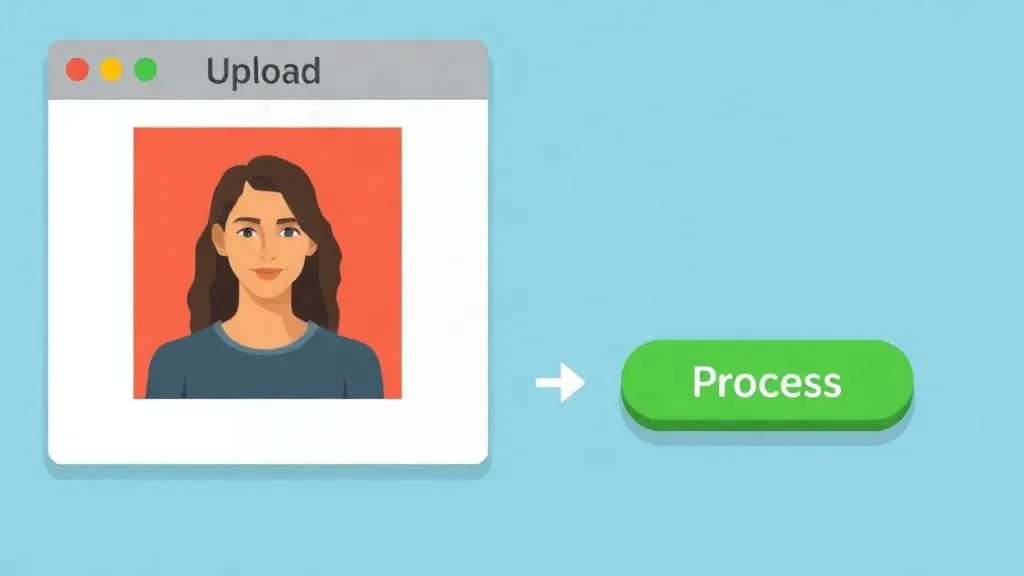
How It Works — Three Steps, About Twenty Seconds
- Upload a photo. Drag a file in, paste from the clipboard, or tap the picker on mobile. JPG, PNG, and WebP up to 12 MB are accepted. One person per frame works best.
- Pick a mode and hit process. The AI segments the clothing, estimates the body underneath, and regenerates skin, edges, and lighting to match the original shot.
- Compare and download. You see the result beside the original. Keep it, re-run it in a different mode, or discard it. Nothing is saved unless you download it.
There is no waiting list and no render credits to top up. The free path is the default path — the paid options exist only for people who want batch runs, higher upscaling, or the heavier model variants.
Built for Quality, Speed, and Privacy
Quality that survives a zoom-in
The regeneration pass works at native resolution rather than upscaling a small output, so skin texture, collarbones, and fabric shadows stay coherent instead of going plastic. Edges where a strap or hem used to sit are blended by a dedicated inpainting pass — that is the part most free tools skip, and it is the reason their results look cut out.
Seconds, not minutes
Renders land in the 15–25 second range. The pipeline is queued per session, so a busy hour slows things slightly but never parks you behind a thousand anonymous jobs. If a run stalls past 60 seconds, the page retries automatically.
Privacy by default
Uploads are handled over HTTPS and held only for the length of the processing job. No account means no profile to attach anything to. There are no tracking pixels inside the result and no metadata written into the downloaded file. The full breakdown lives on the privacy and safety page.
No logs, no training on your face
Your photo is not added to a public gallery and is not folded into a training set by default. Sessions are identified by a short-lived token, not an email address, so a deleted upload is genuinely gone rather than orphaned behind a login.
Modes You Can Pick From
| Mode | Best for | Typical run |
|---|---|---|
| Standard | Everyday portraits, good light, front-facing | ~18 s |
| Bikini | Full-body shots, outdoor light, summer clothing | ~22 s |
| Lingerie | Studio shots, soft light, seated poses | ~22 s |
| Topless | Upper-body crops and head-and-shoulders portraits | ~20 s |
| HD upscale | Print-ready output from an already-good render | ~35 s |
Start with Standard to check that the pose and framing are being read correctly, then switch. Re-running costs nothing and takes one tap — you never re-upload.
Tips for Results That Actually Look Right
- One person, clearly lit. Group shots confuse the segmentation pass. Daylight or a soft lamp beats a dim room every time.
- Front or three-quarter poses. Extreme side angles and crossed arms hide exactly the landmarks the model needs.
- Keep the crop honest. A head-to-thigh frame gives the model more to work with than a tight face crop.
- Avoid heavy filters. Beauty smoothing and HDR flatten the skin detail the render is trying to match.
- Re-run before you judge. Diffusion models are stochastic — the second attempt is often the one you keep.
Why does the result sometimes look different from the original?
Because the model is generating, not copying. It estimates what sits under the fabric and paints it in the style and lighting of your photo. Small shifts in skin tone or shoulder shape are normal and usually read as natural at normal viewing size.
What if the clothing is loose or layered?
Loose hoodies and coats are the hardest case, because the model has to invent a body shape rather than follow one. Switch to a tighter-cropped photo, or accept a looser interpretation — the result is still usable, just less literal.
Free vs. Pro, Plainly
The free tier is not a teaser that returns a 400-pixel thumbnail. You get the real model, the real resolution, and unlimited re-runs on a single upload. Pro exists for volume and for the heavier upscaler: batch uploads, priority queue placement, and no daily cap on distinct photos.
If you are nudifying one photo for a laugh, free is enough and always will be. If you are processing a folder of shots, the paid tier pays for itself in queue time alone.
Start With a Photo You Already Have
Open the tool, drop in a portrait, and watch what comes back. There is no sign-up wall between you and the first result, so the fastest way to judge FreeNudify is to run it once on a photo you know well. If the framing is off, the step-by-step guide covers cropping, mode choice, and the settings most people never touch.
No install. No account. No charge for the first look.
Is FreeNudify actually free?
Do I need to sign up or install anything?
How long does one render take?
Are my photos stored on the server?
How good is the quality, really?
What kind of photo works best?
Is the result accurate to the real person?
Can I use the images commercially?
Is it legal to nudify a photo of someone else?
Why does the result look different on a second run?
Does it work on older phones?
How do I know I am on the real site and not a clone?
References
- High-Resolution Image Synthesis with Latent Diffusion Models (Rombach et al., 2022)
- Adding Conditional Control to Text-to-Image Diffusion Models (Zhang et al., 2023)
- Denoising Diffusion Probabilistic Models (Ho et al., 2020)
- Stable Diffusion reference implementation — CompVis on GitHub
- OWASP guidance on file upload security